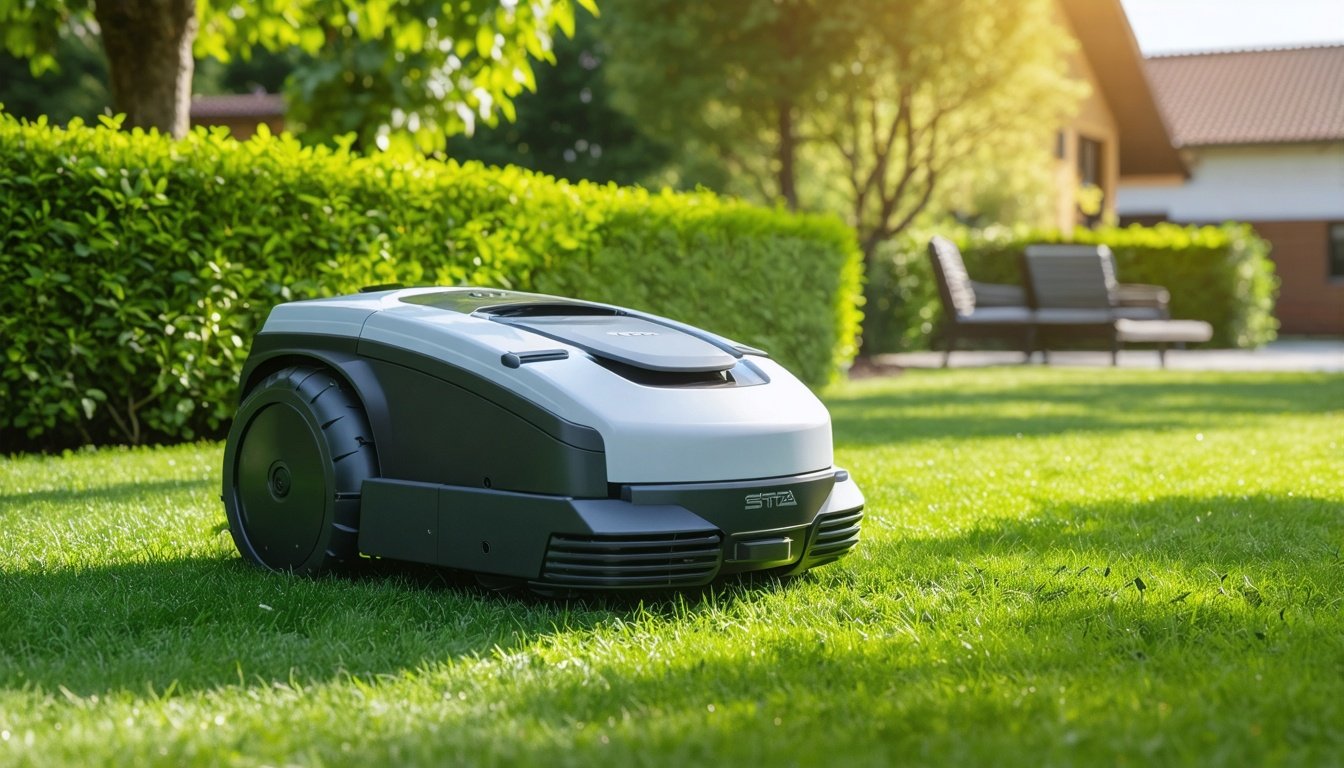
Imagine cutting your lawn without ever leaving your chair — no more gas-powered mowers, no more hours pushing a heavy machine. For many homeowners, the dream of effortless lawn maintenance is now a reality thanks to advancements in autonomous lawn mowers. But even the smartest robot mowers require proper setup to function optimally. Enter the STIGA trolley: a game-changing tool designed to simplify the installation of robotic mower systems. Whether you’re a first-time buyer or upgrading your setup, mastering this system could be the key to hassle-free smart mowing. In this guide, we’ll break down how to quickly install an autonomous robot lawn mower using the STIGA trolley and what it means for your lawn care routine.
## What Is the STIGA Trolley and How Does It Work?
The STIGA trolley is a specialized base station designed to streamline the installation and operation of robotic lawn mowers, particularly those in the STIGA lineup. Unlike traditional charging stations that require meticulous boundary wire setup, the STIGA trolley integrates advanced guidance systems to help the mower navigate and charge with precision. Think of it as the robotic mower’s “home base” — not only does it recharge the unit, but it also acts as a central hub for programming and maintenance.
This system is particularly useful for homeowners with irregularly shaped lawns or those who want to avoid the trial-and-error of manual boundary wire installation. By leveraging wireless communication and sensors, the STIGA trolley reduces setup time and minimizes common errors that plague DIY installations. Compared to competitors like the Husqvarna Automower’s Ferro installation kit or the Worx Landroid’s boundary marker system, the STIGA trolley offers a more intuitive, out-of-the-box experience.
## Step-by-Step Guide to Installing an Autonomous Lawn Mower with the STIGA Trolley
Installing a robotic mower with the STIGA trolley is designed to be straightforward, but success hinges on following these steps methodically:
1. **Prepare Your Lawn**:
Clear debris, rocks, and other obstacles that could interfere with the mower’s sensors or blade. Trim tall grass to ensure the mower can navigate easily during its initial mapping phase.
2. **Set Up the Trolley Base**:
Place the trolley on a flat, stable surface near a power outlet and within range of your Wi-Fi network. Ensure it’s positioned to accommodate the mower’s charging dock and allow unobstructed access for the robot to enter and exit.
3. **Connect and Configure**:
Use the STIGA app (available for iOS and Android) to pair the trolley with your mower. Input details like lawn size, mowing frequency, and preferred cutting height. The app will guide you through firmware updates if needed.
4. **Install the Boundary System**:
While the trolley reduces reliance on physical boundary wires, some models may still require minimal wiring around water features or flower beds. Use the included wireless transmitter to mark these zones.
5. **Test the System**:
Run a manual mode test to ensure the mower can dock and undock smoothly. Check for any software glitches or sensor misalignments. Adjust the trolley’s position if the mower struggles to return for charging.
## Key Considerations for Homeowners and Pros
Before committing to the STIGA trolley system, here are some critical factors to weigh:
– **Lawn Size and Complexity**: The STIGA trolley excels on lawns up to 1 acre, but larger or highly intricate lawns may require additional trolleys or supplementary boundary markers.
– **Slope Tolerance**: While most robotic mowers handle mild slopes, the trolley’s placement becomes crucial on uneven terrain. Ensure the base is securely anchored to prevent slippage.
– **Maintenance Needs**: Unlike traditional mowers, robotic systems require minimal upkeep, but the trolley’s charging contacts and sensors should be cleaned monthly to prevent malfunctions.
– **Compatibility**: Check if your existing or planned robotic mower is compatible with the STIGA trolley. Most STIGA-branded models integrate seamlessly, but third-party units may have limited functionality.
## How the STIGA Trolley Competes with Alternatives
When comparing the STIGA trolley to other installation methods, several advantages stand out:
1. **Time-Saving Setup**: Competitors like the Deerbot D7 Pro often require labor-intensive boundary wire installation, while the STIGA trolley uses wireless technology to cut setup time by up to 50%.
2. **Smart Integration**: The trolley’s app-controlled interface offers real-time monitoring and adjustments, surpassing basic systems from brands like EGO or Cub Cadet.
3. **Scalability**: For professional landscapers managing multiple properties, the trolley’s modular design allows easy expansion to additional mowers or zones.
However, budget-conscious buyers might note that the STIGA trolley carries a premium price compared to entry-level competitors. But its long-term efficiency and reduced labor costs often justify the investment.
## What This Means for You
Whether you’re a homeowner seeking convenience or a pro looking to automate your fleet, the STIGA trolley represents a significant leap in robotic mower technology. By simplifying installation and maintenance, it lowers the barrier to entry for smart mowing, making it easier than ever to enjoy a pristine lawn without the hassle. For commercial users, the system’s reliability and scalability could save hours of manual labor, translating to higher profits and client satisfaction.
If you’re considering a robotic mower but worried about the setup, the STIGA trolley could be the missing piece to get you up and running quickly. Just remember to align your expectations with your lawn’s specific needs — nothing beats a little homework before pulling the trigger.
### FAQs About the STIGA Trolley and Robotic Lawn Mower Installation
#### **How long does it take to install a robotic mower with the STIGA trolley?**
Most setups take between 1–3 hours, depending on lawn complexity. Basic installations on smaller lawns can be completed in under an hour, while larger properties or those with obstacles may require additional time.
#### **Can I use the STIGA trolley with a non-STIGA robotic mower?**
Some third-party models may work with the trolley, but functionality could be limited. Always check compatibility with STIGA’s official guidelines or consult a professional installer.
#### **Do I still need boundary wires with the STIGA trolley?**
While wireless guidance reduces reliance on wires, you may still need to install them around specific areas like ponds, gardens, or sections the mower should avoid. The trolley’s app typically guides you through this process if required.
#### **Is the STIGA trolley worth the cost compared to standard charging stations?**
For many users, yes — especially those prioritizing ease of use and time savings. The trolley’s advanced features, like app integration and reduced maintenance, often outweigh the higher upfront cost over time.
#### **How does the STIGA trolley handle uneven terrain?**
The trolley is designed for stability, but steep slopes (over 25%) may still challenge the system. Installing anti-slip pads or anchoring the trolley to level ground can mitigate issues in such cases.
By understanding these details, you’ll be better equipped to make an informed decision about integrating the STIGA trolley into your lawn care strategy. As robotic mower technology continues to evolve, tools like this are paving the way for smarter, more efficient outdoor living.
Source: Original Article

Author: AI Mow
AI Mow is the AI-assisted news desk of AI Mower News. It monitors manufacturer announcements, trade shows and industry sources, and drafts stories in our editorial voice. Every article is checked against its original source before publication — our fact gate holds anything that claims testing we did not do or specs the source does not support — and is published under this byline for transparency. How we work: https://aimowernews.com/editorial-guidelines/ · The people behind it: https://aimowernews.com/our-team/